HP DeskJet 3772 Manual — Setup, Troubleshooting & WiFi Guide
The HP DeskJet 3772 is a compact wireless all-in-one inkjet printer designed for home use, offering print, scan, and copy functions in a space-saving design. It connects via Wi-Fi and Wi-Fi Direct, making it easy to print from smartphones, tablets, and laptops without a router. This page covers full setup instructions, cartridge maintenance, wireless connection methods, and troubleshooting guidance drawn directly from the official HP manual.
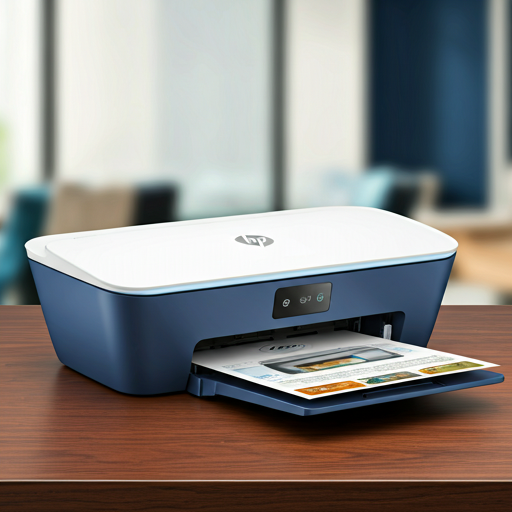
Product Setup
Unbox and Power On
Remove all packaging and tape from the printer, including from inside the cartridge access door. Connect the power cord to the rear power connection port and plug it into a working outlet, then press the Power button to turn the printer on.
Install HP 63 Ink Cartridges
Open the cartridge access door and wait for the print carriage to move to the center. Remove the plastic tape from each cartridge using the pull tab, then slide the tri-color cartridge into the left slot and the black cartridge into the right slot until each clicks into place. Close the cartridge access door.
Load Paper into the Input Tray
Raise the input tray and input tray extender, then insert a stack of plain white paper with the short edge down and the print side facing up. Slide the paper-width guide snugly against the edge of the paper, then pull out the output tray and output tray extender and lift the paper catch.
Install Software and Connect Wirelessly
Download and install the HP printer software from HP's website or use the included setup CD. Open the software on your Windows or Mac computer and follow the on-screen prompts to connect the DeskJet 3772 to your wireless network. Once connected, the Wireless light on the control panel will remain solid.
Pro-Tip: Do not touch the copper-colored contacts or the ink nozzles. Touching these parts can result in clogs, ink failure, and bad electrical connections.
WiFi Connection Guide
Wireless Network (802.11b/g/n)
Press the Wireless button on the control panel to enable Wi-Fi. Use the HP printer software setup wizard to connect the DeskJet 3772 to your home wireless router. Once connected, the Wireless light and Signal Bars icon on the display will remain solid. To verify or test the connection, press the Wireless button and Information button simultaneously to print a wireless network test report.
Wi-Fi Direct (No Router Needed)
Press the Wi-Fi Direct button on the control panel to enable Wi-Fi Direct — the Wi-Fi Direct light and icon will turn on when ready. From your mobile device or laptop, search for the printer's Wi-Fi Direct network name and connect using the Wi-Fi Direct password. This allows direct printing without a wireless router. The printer supports a limited number of simultaneous Wi-Fi Direct connections.
Troubleshooting FAQ
Printer Won't Print — Page Not Printingexpand_more
Paper Jam — How to Clearexpand_more
Ink Cartridge Error or Ink Alert Light Is Onexpand_more
Poor Print Quality — Streaks or Faded Outputexpand_more
Wireless Connection Problems — Printer Offline or Not Foundexpand_more
Important Safety Instructions
- Always turn off the DeskJet 3772 using the Power button and wait for the Power light to go out before unplugging — this parks the cartridges properly and prevents HP 63 cartridges from drying out.
- Check estimated ink levels regularly via the Ink Level icons on the control panel display or through the HP printer software, and keep a replacement HP 63 or HP 63XL cartridge on hand to avoid printing delays.
- Align the cartridges after installing new HP 63 cartridges by using the 'Align Cartridges' option in the printer toolbox (Print & Scan > Maintain Your Printer) to ensure the best print quality.
- Do not leave cartridges outside the printer for more than 30 minutes — unprotected cartridges begin to dry out quickly, and extended exposure can damage the printhead.
Replacement Ink Cartridges
The HP DeskJet 3772 printer uses genuine HP 63 / HP 63XL ink cartridges. Select your cartridge below to purchase replacement cartridges on Amazon:
Technical Specifications
| Feature | Specification |
|---|---|
| Model | HP DeskJet 3772 |
| Printer Type | All-in-One Color Inkjet (Print, Scan, Copy) |
| Ink Cartridges | HP 63 / HP 63XL (Black and Tri-Color) |
| Connectivity | Wireless 802.11b/g/n, Wi-Fi Direct, USB 2.0 |
| Print Speed (Black) | Up to 8 ppm (varies by document complexity) |
| Print Speed (Color) | Up to 5.5 ppm (varies by document complexity) |
| Sleep Mode | Enters Sleep mode after 5 minutes of inactivity; power usage reduced |
| Auto-Off | Automatically powers off after 2 hours of inactivity (when wireless is not active) |
| USB Cable Length | Recommended 3 m (10 feet) or less |
| Related Models | HP DeskJet 3700, 3720, 3752, 3755 |